
Learn about product search features and functionality
The main search box at the top of the page allows you to search for products using a Newark order code, a manufacturer's part number, a manufacturer’s name or keywords.
The search may include partial or complete terms as well as product attributes like voltage, ohms, or other values.
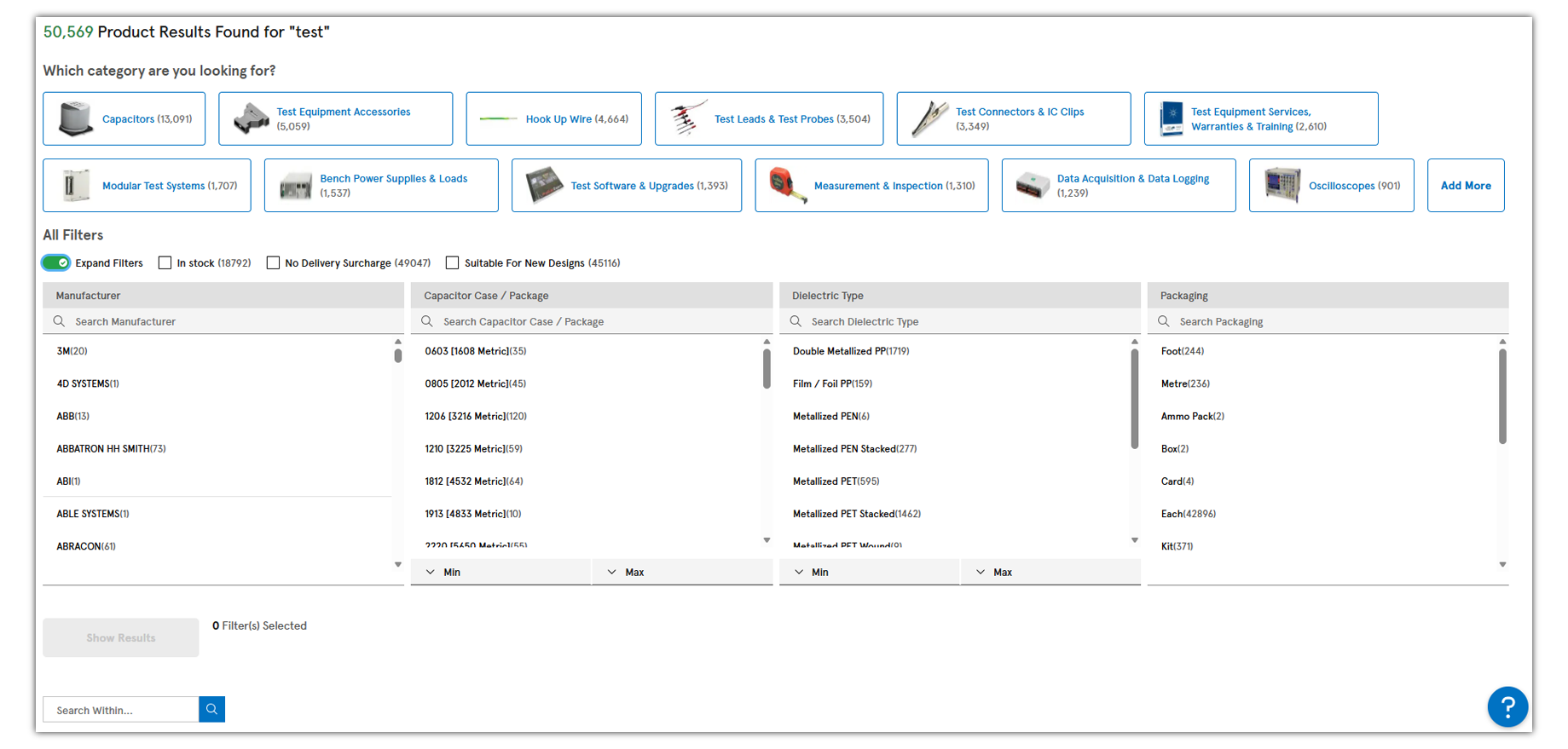
Category Results
If your search query contains matches in more than one product category, a list of product categories will be displayed.
Related Links

General Search Filters Glossary
- In Stock: Checking this box will display only the products we have in stock available to be despatched same or next day.
- RoHS Compliant: Checking this box will display only the products that are compliant with the RoHS legislation as reported by our suppliers.
- Exclude Direct Ship: Checking this box will exclude items that ship direct from our suppliers and from other element14 companies.
- Include Special Orders: Checking this box will include items that are not actively stocked in our warehouse and may have longer than expected lead times.

To see the results when you select general filters, you need to click the apply button. It is not necessary to enter any text in the search within field if all you want to filter is one or more of the check boxes.
Parametric Filters
If your search ends up within one category, you will see parametric filters. The actual search product results will be displayed below the filters on the page. You may narrow your results by selecting parametric filters either by checking the box for one or more specific attributes or by using the range selector to check multiple boxes more easily. To see the product results, you will need to click the “Apply” button.
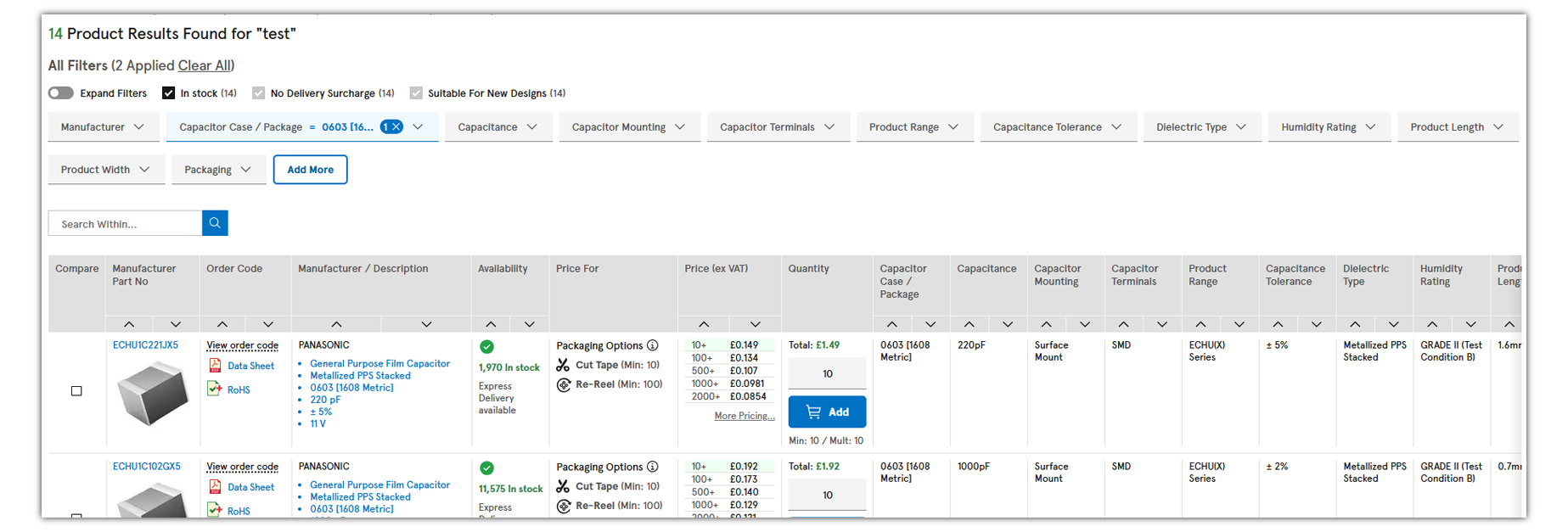
Selecting the Auto Apply filters will automatically disable filter options that would result in no match. However, the products displayed below the filter options will not update until you click the “Apply” button.
NOTE: There may be more parametric options than visibally displayed at first. Simply scroll to the right to see additional parametric attributes.


Advanced Search
Advanced search provides focused search fields for Part number, keyword, and/or Manufacturer’s name.
For part number searches you can force exact match by selecting "exact match" or for part number ending wild card use the "starts with" option. Keyword descriptions can match all words or any words.
Use the menus to tailor your search
If you are unable to find the product you are looking for contact our live support or call us at 1 877 736 4835
Order Management
Product Information & Support
How can we help you?
Customer Service:
View more contact information ▶
Product Technical Support:
(Mon-Fri 8:00AM - 8:00PM ET)
Product Technical Support:
(Mon-Fri, 8:00AM - 8:00PM ET)